Month card · not a single amount
Were you sent a month card?
It was made by the Family Spendings app from the monobank statement of the person who shared it. There are no amounts, merchants or categories on it. You can get one like it about your own month.
The month card is on iPhone, iPad and Android.
You can start with sample data in the app, without connecting your bank or paying. An independent app, not a product of monobank.
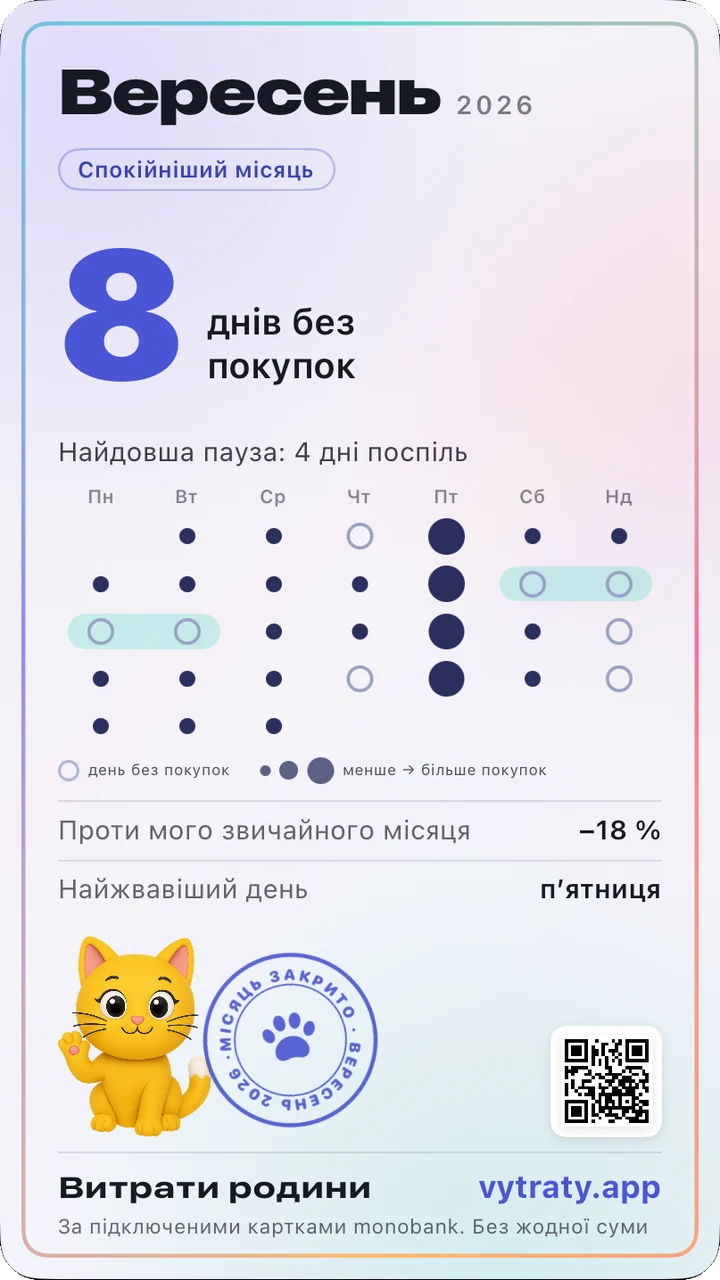
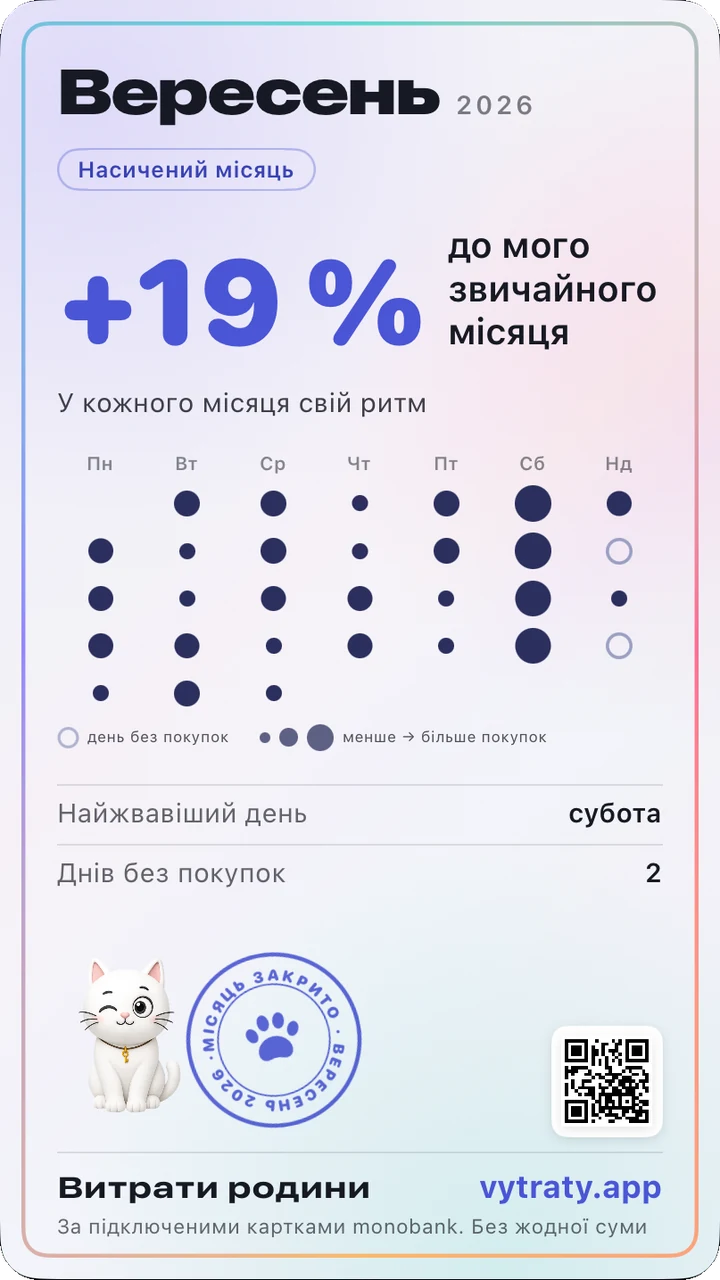
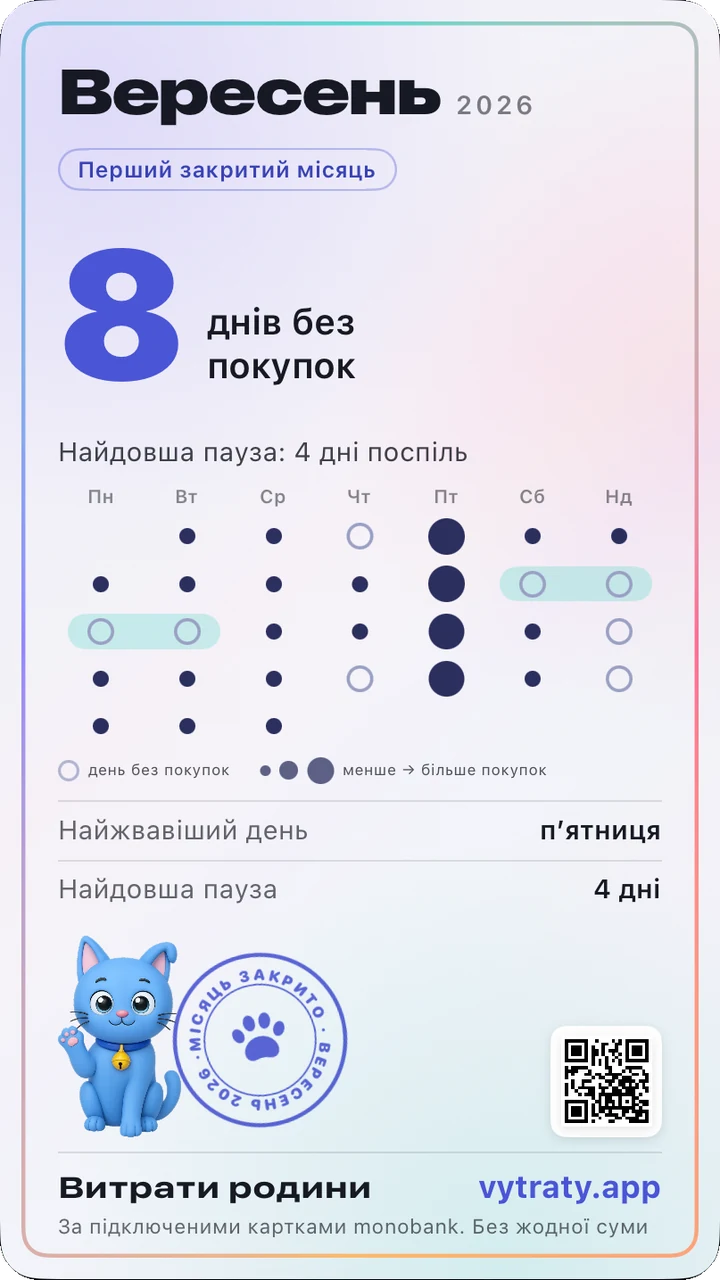
Where this card comes from
It was made by the app on the phone of the person who shared it. The QR code on it leads only to our page about the month card and carries no data about the author. For a card of your own you need a monobank statement. Cards for months that have already ended appear right after the first load, so there is no need to wait for the first of the month.
How to get yours
Install the app and look at the example
The example runs on made-up data, with no bank and no payment.
Connect monobank when you are ready
Tap “Connect monobank” and confirm sign-in in the monobank app. The key is read-only: it cannot move or withdraw money, and you can revoke it at any time.
Open the card on the Today screen
When a full past month has loaded, a “Month closed” banner with the card appears on Today. If your history started mid-month, you get an interim review without a stamp.
On your own statement the first three days of full access are free: no subscription to set up and no automatic charge.
What else the app shows every day
Which subscriptions got more expensive
Did Netflix, your mobile operator or the gym charge more than last time? You see it at once, in one list.
Which cashback category to pick
On the first of the month the app suggests a category based on your own purchases over previous months, not on guesswork. The cashback adviser works here on the site as well.
Where spending grew against last month
The difference by category, and how much you can spend per day so that this month costs no more than the last.
What the card has and what it does not
It has
One big fact about your month, for example the days without purchases. A calendar of dots: the bigger the dot, the more purchases that day, a ring means a day without any. The longest pause, the busiest weekday, and a percentage against your usual month. A cat, a paw stamp and the address of the site.
It does not have
Amounts, merchant names and categories. The calendar shows on which days you made purchases, so you can hide it, like the percentage, before sharing. The picture is created on your phone and goes nowhere until you tap “Share” yourself. The app does not tell us whether you shared the card.
Questions
Will anyone see my amounts if I share a card?
No. The app puts no amounts on the card: it is built only from counts of days and purchases, plus one percentage against your usual month.
What does “your usual month” mean?
It is the middle of the three previous full months. If there is less history than that, the card simply shows no comparison: it never invents numbers.
My history starts mid-month. Will there be a card?
There will be an interim review: no stamp, no word “closed”, and the days with no data marked as such. The full card appears after the first complete month.
I do not want the cats. Can they be turned off?
Yes, with the Live cats switch in Settings (on Android: the More tab). The card stays; instead of a paw the stamp gets a tick.
Is there an Android app?
Yes, Family Spendings is on Google Play, and the month card is there too.

Family Spendings – analytics for your monobank statement. Three days free on your own statement; your statement stays on your phone.