An independent app for monobank customers
Where does your money go?
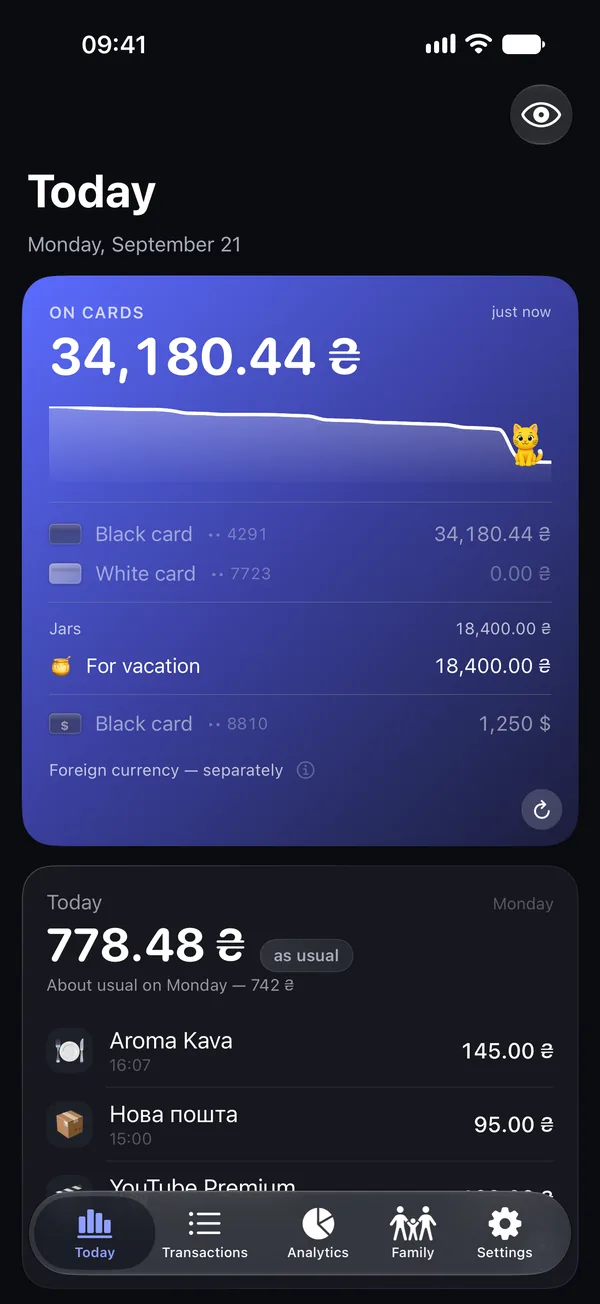
The app reads your monobank statement for you: spending by category, what changed this month, which subscriptions got pricier. No need to enter purchases by hand.
Start with sample data in the app, without connecting your bank or paying. In the App Store the app is listed as “Family Expenses Insights”; on your phone it is called “My spending” (“Мої витрати” in Ukrainian).
Your statement stays on your phone
- Read-only key. It cannot move or withdraw money – the bank's API simply has no such capability.
- Neither your statement nor your key ever reaches us. The app talks to the bank directly and does all the math on your phone.
- The key lives in your phone's secure storage, like your passwords. A copy for a new phone: in iCloud on iPhone if you turn it on; in your Google backup on Android, where it is on from the start. Switch it off in Security & data.
- We receive a short technical log without amounts, merchants or your key; the privacy policy says what is in it. Separately, if you turn on air-raid notifications on iPhone, our server keeps delivery addresses and the number of your region or district. On Android these notifications go through Google, and we keep no list of subscribers.
- No ads or trackers in the app. This site only counts visits, without cookies.
How it works
Try the example first
Install the app and tap “See an example” on the first screen: every screen, with made-up data, no bank and no payment.
Connect monobank when you are ready
Tap “Connect monobank” and confirm sign-in in the monobank app. The key is read-only: it cannot move money.
Numbers show up right away
The last month shows up within a minute or two; a year of history for one card catches up in about fifteen minutes. The first three days of full access are free, with no subscription and no automatic charge.
New in 1.5: on your wrist
The app is now on Apple Watch and on Wear OS watches. One glance shows how much you can still spend today so that this month costs no more than the last, plus your three latest purchases, and that number can sit right on your watch face. The watch never talks to the bank: your phone sends it the numbers, so you need the app on your phone too, and it shows how to set the watch up. Works with Apple Watch on watchOS 26 or later and with Wear OS 3 or later, such as Samsung Galaxy Watch4 and newer or Google Pixel Watch.
Also new: purchases show up on their own as soon as you open the app. And since 1.4 every finished month gets a card without a single amount that you can share, on iPhone, iPad and Android. About the month card.

Family Spendings – three days free on your own statement, then a subscription (on iPhone, if you have not used a trial of this app before, the App Store may add a free week). Up to five family members: you see their spending by category and transaction, with their consent, and get notified only about what matters.